OutRun 2 Course Tools
Plan left/right branches before you commit at speed—easier left, harder right.
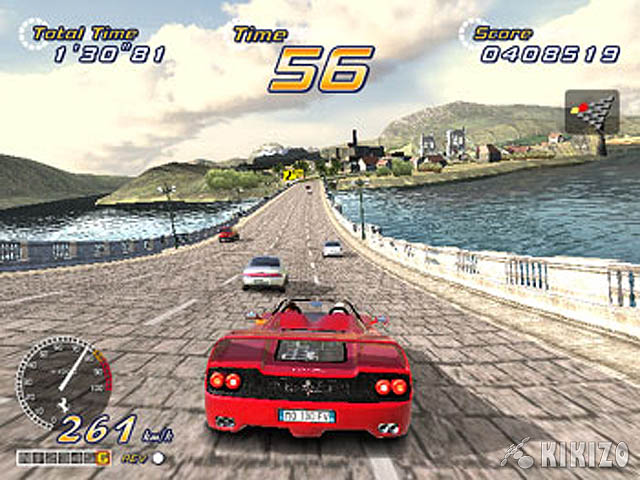
The Tools Hub collects practical course helpers for OutRun 2. The series is famous for seamless stage links and roadside forks that ask you to choose a path without a pause menu. On both the December 2003 Sega AM2 arcade cabinets and the October 2004 Xbox port, those forks are not cosmetic: left routes generally play easier, right routes generally play harder, and your goal-time, Heart Attack meter, and rival pressure all change with the scenery you pick.
Start with the Course Map when you need a branch diagram. Use this hub page for the planning rules, practice habits, and links into Guides that make the map useful instead of decorative.
Why route tools matter
OutRun 2 does not reset you to a static track select after every goal. You drive a continuous holiday road that splits, and each split locks you into a biome, corner language, and difficulty flavor until the next fork. Without a plan you will:
- Take a hard right while learning Novice cars and burn the timer.
- Take endless easy lefts in Heart Attack and starve the passenger of spectacle.
- Mix random branches in Time Attack so splits cannot be compared.
A simple tool mindset—pick the route before the countdown—fixes all three.
Left easier, right harder
Memorize the rule of thumb first:
- Left fork ≈ easier layout density, kinder for learning drifts and finishing Race goals.
- Right fork ≈ harder challenge, tighter demands, better for players chasing mastery or tougher Challenge conditions.
Exact scenery names differ across OutRun 2, OutRun 2 SP, and Coast 2 Coast bundles, but the left/right difficulty bias is the planning constant fans rely on. When a guide says “run an easy path,” it means bias left at forks unless a mission forces otherwise.
How to use the Course Map
- Open the Course Map and note the fork sequence for your edition.
- Circle a full path from start to goal that matches today’s intent (learn, score hearts, or attack time).
- Warm up on that exact path three times before changing a single branch.
- Only then experiment with one swapped fork to feel the difficulty jump.
Printable mental shorthand: L-L-L for comfort clears, R-R-R for stress tests, mixed paths for Heart Attack variety once basics are stable.
Pairing tools with modes
OutRun Race. Prefer left-leaning routes until you beat the rival with spare time in Novice or Intermediate cars. Add right forks when Professional Ferraris stop spinning on easy roads. Car picks live on the Tier List Hub.
Heart Attack. Easy roads can still score if you manufacture style; hard roads create natural near-miss chances but punish errors. Plan a medium mix, then read the Heart Attack guide for scoring priorities.
Time Attack. Freeze the route. Tools exist so your ghost comparisons stay honest—same branches, same car, same music distraction level.
OutRun Challenge. Some missions imply or require tougher driving. Check objectives before defaulting to all-left comfort paths; see Challenge missions.
Practice loop that actually works
- Choose car class from the Cars Hub / tier list.
- Choose route bias (easy left / hard right) on the course map.
- Drill hydraulic drifts on that path via How to Drift.
- Log whether failures came from car, branch, or input timing—change only one variable.
- When unlocks matter, use Challenge stars or gallery codes without abandoning the route plan.
Edition awareness
Arcade OutRun 2, arcade OutRun 2 SP, Xbox OutRun 2, and OutRun 2006: Coast 2 Coast (PS2/PSP/Xbox/PC) share the fork fantasy with layout and content differences. If a map label does not match your screen, confirm the edition under the Updates Hub before assuming the tool is wrong. Steam’s later delisting of the PC Coast 2 Coast storefront does not change fork logic for owners who still run that build.
Related guides
- Getting Started — modes and first-hour checklist
- How to Drift — the skill that makes hard rights possible
- Heart Attack — when spectacle beats the easy path
- Play on PC — modern Coast 2 Coast setup notes
Course tools will not drive for you, but they stop random forks from erasing good practice. Plan left for learning, plan right for pressure, and keep the Course Map one click away whenever a goal race timer starts to slip.
Frequently Asked Questions
Quick answers for OutRun 2 players.
Are left routes really easier in OutRun 2?
Yes as a rule of thumb: left branches tend to be easier, right branches harder. Use that bias when planning Race clears or Challenge attempts.
Where is the OutRun 2 course map?
Open the Course Map subpage from this Tools Hub for branch planning diagrams and path notes.
Should Time Attack use random forks?
No. Lock one full route so splits are comparable. Change branches only when you intentionally start a new attack set.
Do SP and Coast 2 Coast change fork rules?
Layouts and naming can differ by edition, but the left-easier / right-harder planning idea still guides route choice. Check Updates for version notes.