How to Play OutRun 2 on PC
Coast 2 Coast, Tweaks, Xbox paths, and legal ownership notes.
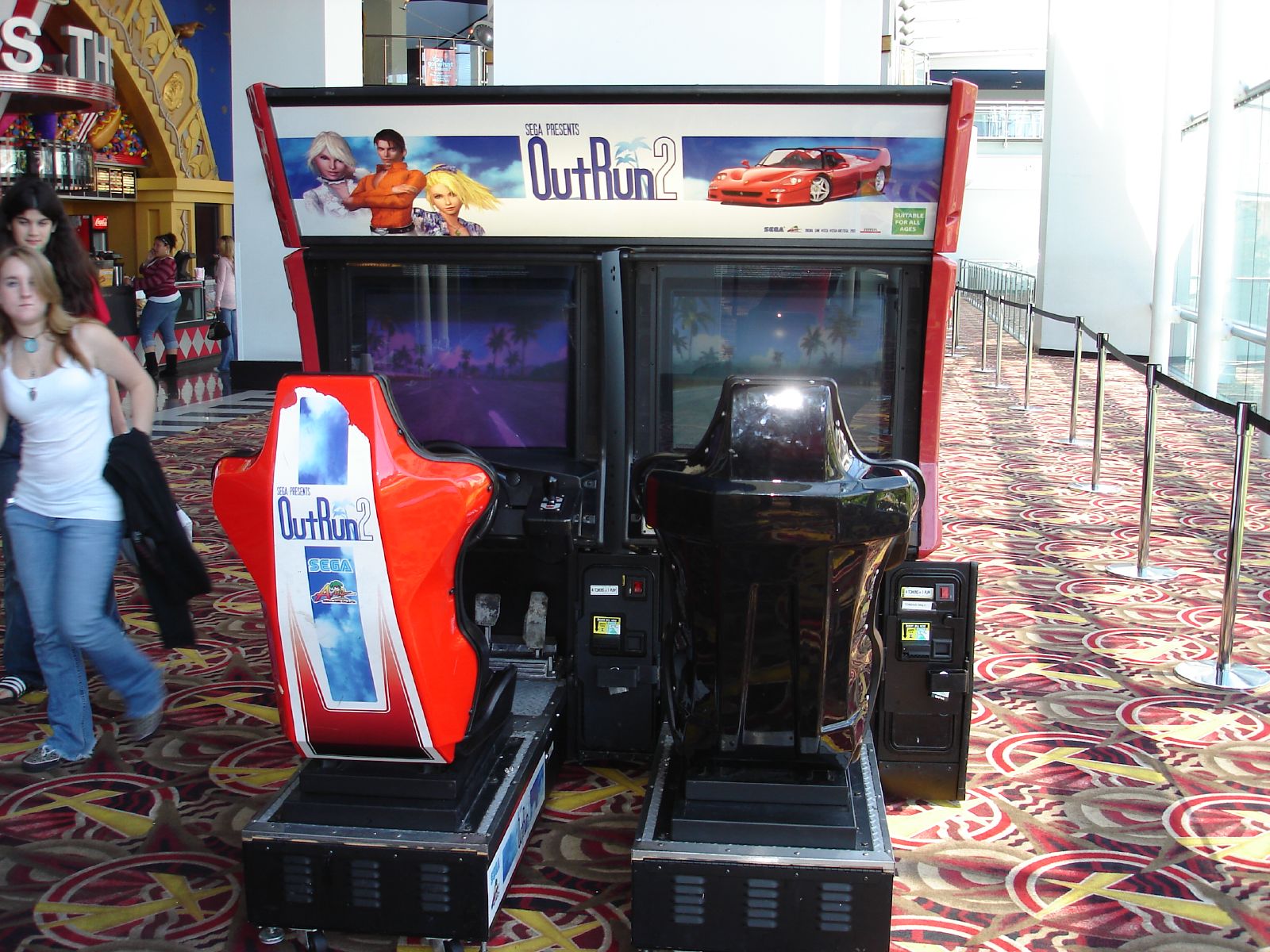
OutRun 2 is not a modern storefront evergreen. The Sega AM2 arcade original arrived on Chihiro hardware in December 2003; Sumo Digital’s Xbox port followed in October 2004; and OutRun 2006: Coast 2 Coast later bundled OutRun 2, OutRun 2 SP, and extras for PlayStation 2, PSP, Xbox, and Windows PC. The Steam PC edition was delisted years ago (commonly cited around 2010), so “just buy it on Steam tonight” is no longer a realistic plan. This guide explains practical, legal-minded ways people still drive these Ferraris on a modern PC or related hardware—without this wiki hosting or linking illegal game images.
For what Coast 2 Coast includes versus earlier builds, see Coast 2 Coast and the broader Versions notes. Community and official pointers also live on the Links Hub. Technique guides such as Getting Started still apply once the game boots.
Legal note (read this first)
Obtain the game legally. Buy a physical PC copy of OutRun 2006: Coast 2 Coast, use a copy you already own, or play through legitimate console hardware and services you have rights to use. This wiki does not host ROMs, ISOs, or cracked installers and does not provide download links for pirated copies. Community tools mentioned below assume you already own the relevant software or hardware. If a setup requires arcade dump files, those files are your responsibility to source from hardware you own where local law allows—nothing on this site distributes them.
Option A: OutRun 2006: Coast 2 Coast on PC
Coast 2 Coast on Windows is the main “OutRun 2 family” PC release. It packages OutRun 2 content, OutRun 2 SP content, and additional material in one consumer build. Because Steam delisted it, typical legal paths are:
- A physical PC disc from the original release window.
- A disc image you created yourself from a disc you own, for personal backup and install, where your jurisdiction permits.
- Second-hand retail copies from sellers who still stock sealed or used boxes.
Expect mid-2000s PC quirks on Windows 10/11: resolution limits, fullscreen oddities, controller mapping friction, and stability issues on modern GPUs. That is exactly why the Tweaks project exists.
OutRun2006Tweaks deep dive (2024–2026)
Community patch OutRun2006Tweaks (GitHub: emoose/OutRun2006Tweaks) is the practical reason Coast 2 Coast still feels current on Windows 10/11. It is not a Sega remaster. You still need a legally obtained PC copy; Tweaks replace the DRM-hostile EXE with a compatible launcher and layer fixes on top.
Documented owner-facing improvements include:
- Desktop-native resolution and widescreen UI scaling that keeps the speedometer circular instead of stretched.
- Higher frame-rate output with interpolation so raising FPS does not simply accelerate the race clock.
- Longer draw distance, restored bloom/glow/shadow behavior closer to console/arcade presentation, and sharper car reflections.
- Faster loading, skippable intro splash screens, and controller updates (including modern Xbox pad / impulse-trigger friendly paths).
- Mid-race music switching (commonly Q/E on keyboard or Back / RS+Back on pad) and hooks that let community lossless FLAC soundtrack packs replace unbalanced stock OGGs—see also the Soundtrack guide.
- Restored online multiplayer via replacement master servers after Sega’s PC service died—register in Multiplayer > Online after installing a Tweaks build that includes the online restore (v0.5+ lineage; always check the latest release notes).
- Ending cutscene shading fixes in later builds (for example the v0.6.1 cutscene restoration notes on GitHub).
Setup checklist owners follow:
- Own a PC Coast 2 Coast install (disc or personal backup of a disc you own).
- Install a current x86 Visual C++ redistributable (2024+ redist is frequently required even if an older redist is already present).
- Extract the Tweaks release into the folder that contains OR2006C2C.EXE, replacing the EXE as the README instructs.
- Edit OutRun2006Tweaks.ini—defaults enable most fixes; leave risky options off until you confirm a stable race.
- Launch once at desktop resolution, then verify a short OutRun Mode run before enabling extras.
Steam Deck players use the same owned files inside a Proton/Windows-compatible layout; community tutorials exist, but treat Deck configs as experimental and keep backups of your ini and save folder.
For Lindbergh deluxe cabinet culture and SP DX/SDX, see DX / SDX. For the delisted HD Online Arcade reissue, see Online Arcade.
Option B: OutRun2006Tweaks for modern PCs
The open-source OutRun2006Tweaks project by emoose modernizes the PC Coast 2 Coast experience. Community players use it to improve compatibility and quality-of-life on current Windows setups—things like better display handling and other fixes that stock 2006 builds lack. Always read the repository README for install order, supported versions, and known issues before you patch anything.
Typical workflow (high level):
- Install a legally obtained Coast 2 Coast PC copy.
- Confirm the base game launches.
- Follow the Tweaks project instructions from the GitHub README.
- Re-test controllers, resolution, and a short Arcade run.
- Only then sink hours into Challenge-style or Time Attack sessions.
Tweaks are not a substitute for owning the game. They are a compatibility layer for owners.
Option C: Original Xbox, 360 backward compatibility, Insignia
If your goal is the Xbox OutRun 2 build with the famous 101 Challenge missions, a PC is not required:
- Play on an original Xbox with a legitimate disc.
- On many Xbox 360 consoles, OutRun 2 runs via backward compatibility.
- Original Xbox Live services for the game are long gone; the community Insignia replacement service is how some players restore online-related functionality for compatible titles. Follow Insignia’s own documentation and terms if you pursue that path.
This route preserves the Sumo Digital Challenge structure described in Challenge Missions. Coast 2 Coast on other platforms is related but not always identical in mission layout, so check Versions when guides disagree.
Option D: Arcade hardware and community PC setups
Authentic Chihiro arcade hardware (and later Lindbergh-era OutRun 2 SP SDX cabinets in the SP lineage) is the purest presentation—force feedback, sit-down cabinets, and operator settings included. That path is expensive and physical.
Some PC enthusiasts use community arcade PC setups (tools such as TeknoParrot are commonly discussed in the arcade preservation scene) to run supported arcade software they dump from boards they own. Mentioning that ecosystem carefully: it is a community preservation approach, not an official Sega PC port, and it still depends on legal ownership of the software images. This wiki will not provide dump files, cracked packages, or step-by-step piracy instructions. If you explore community loaders, use their official documentation, keep expectations realistic about configuration pain, and stay on the right side of copyright law in your country.
Which path should you choose?
| Goal | Practical path |
|---|---|
| Best modern PC convenience | Legal Coast 2 Coast PC + OutRun2006Tweaks |
| Xbox Challenge (101 missions) | Original Xbox / 360 BC disc; Insignia if you need online-era features |
| Arcade authenticity | Real cabinet hardware |
| Arcade-on-PC experimentation | Community loaders only with software you own; no ROMs from this wiki |
| Portable / living room | PS2, PSP, or Xbox Coast 2 Coast discs |
After it launches: what to play first
Once you have a stable boot:
- Complete the onboarding in Getting Started.
- Learn brake and gear drifts from How to Drift.
- Sample Heart Attack Mode so prompted stunts feel natural.
- If you are on Xbox OutRun 2, dig into Challenge Missions.
- Read Coast 2 Coast so you know which modes and tracks your build includes.
Controllers and wheels
Coast 2 Coast PC and Tweaks users often prefer a gamepad mapped similarly to the Xbox layout (RT gas, LT brake). Wheels work in many setups but may need extra calibration. Arcade cabinets spoil you with hardware pedals—do not be surprised if a flat keyboard feels wrong; bind analog acceleration if you can.
Troubleshooting mindset
- If the stock PC game fails on modern Windows, confirm ownership install integrity before blaming Tweaks.
- If Tweaks misbehave, remove variables: stock launch, then patch, then mods.
- If an Xbox disc fails on 360, verify the specific console’s backward compatibility behavior.
- If a community arcade loader fails, treat it as a configuration problem on your machine—not something this wiki can remote-debug file by file.
Related reading
Deep version history: Coast 2 Coast, Versions. Resource bookmarks: Links Hub. Driving fundamentals remain the same across platforms once the attract movie ends—master the coastline, not only the installer.
Play legally, patch carefully, and spend your time on forks and drifts instead of sketchy download pages. OutRun 2 still feels like wind and chrome when the install is clean.
Frequently Asked Questions
Quick answers for OutRun 2 players.
Can I still buy OutRun 2006: Coast 2 Coast on Steam?
No. The Steam PC release was delisted years ago. Legal PC access usually means a physical disc you own or other legitimate copies, not a current Steam store page.
What is OutRun2006Tweaks?
An open-source community patch by emoose that modernizes PC Coast 2 Coast: resolution, UI scaling, FPS interpolation, controller fixes, FLAC/music hooks, and restored fan multiplayer servers. Requires a legally owned game copy—read the GitHub README for the latest release.
Does this wiki provide ROMs or ISOs?
No. The wiki does not host ROMs, ISOs, or cracked installers. Obtain OutRun 2 / Coast 2 Coast software legally through ownership of retail or arcade hardware as applicable.
How do I play the 101 Xbox Challenge missions?
Use the Xbox OutRun 2 disc on original Xbox or compatible Xbox 360 backward compatibility. Coast 2 Coast on other platforms is related but not always identical—check version notes.
Is TeknoParrot an official Sega port?
No. It is a community arcade-on-PC loader discussed in preservation circles. It is not an official OutRun 2 PC release, and you must only use software you have the right to use.
Does OutRun2006Tweaks restore PC online multiplayer?
Yes. Later Tweaks builds can point the game at community replacement servers so Multiplayer > Online works again after Sega’s PC service shut down. You still need a legal PC copy and the Tweaks install steps from GitHub.